
In this AI era, traditional approvals no longer make sense. Approvals play a major role everywhere, but they often require follow-ups and reminders to get things sorted. To address this, I planned to build a smart approval system using Dataverse, AI Builder, and Power Automate. This is a small prototype, but it can be extended to a larger solution.
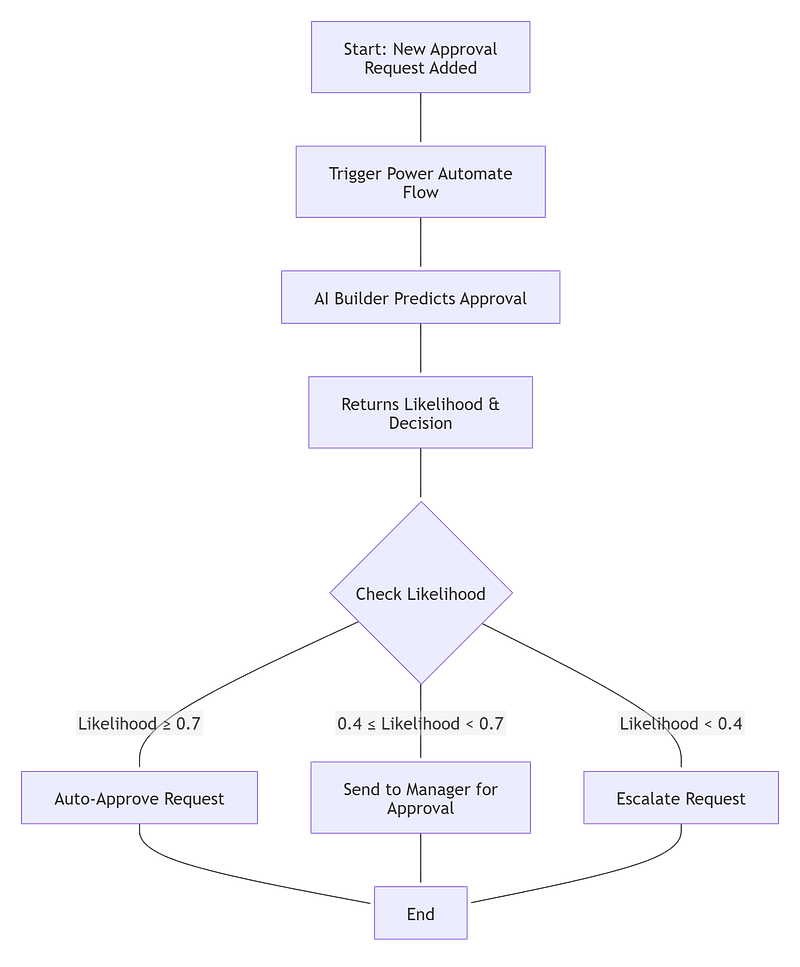
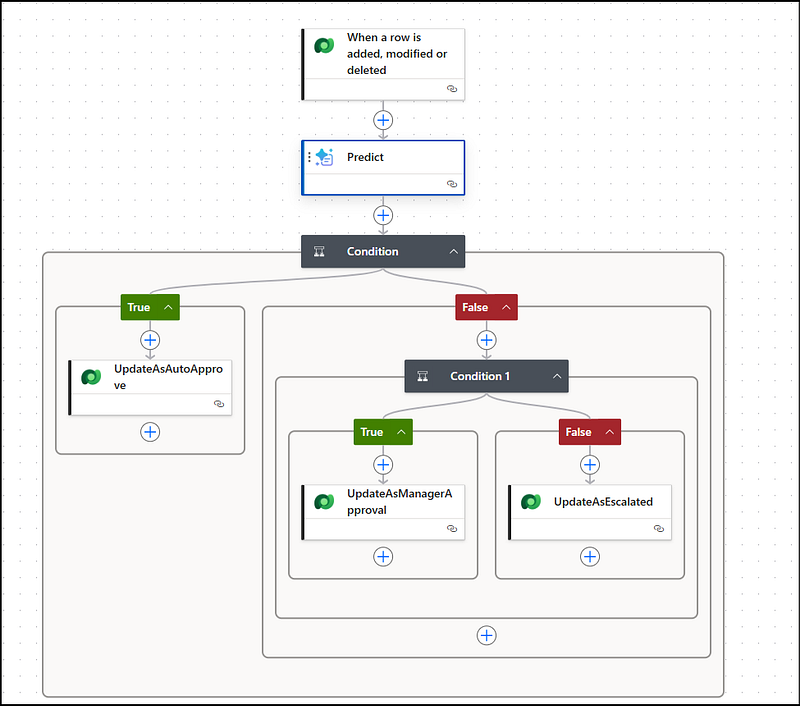
The agenda is simple: when a new approval request is created, AI Builder will predict the outcome using a trained model. If the prediction likelihood is greater than 0.7, it will be auto-approved. If it is between 0.4 and 0.7, it will be sent to the manager for approval. If it is less than 0.4, it will be escalated to the senior manager.
To accomplish this, I created a Dataverse table named ApprovalRequests with the required fields and data types.
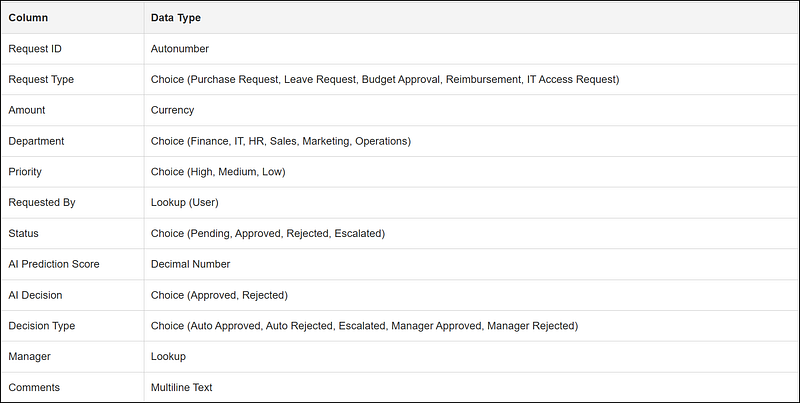
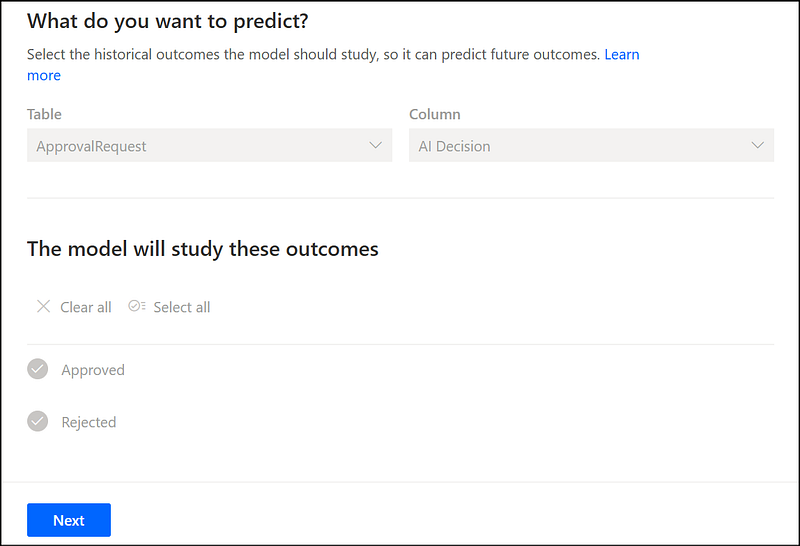
Next, navigate to https://make.powerautomate.com and select the AI Models menu. From there, choose Predict future outcomes from historical data under the Prediction section and create a custom model. Select the table as ApprovalRequests and the column as AI Decision.
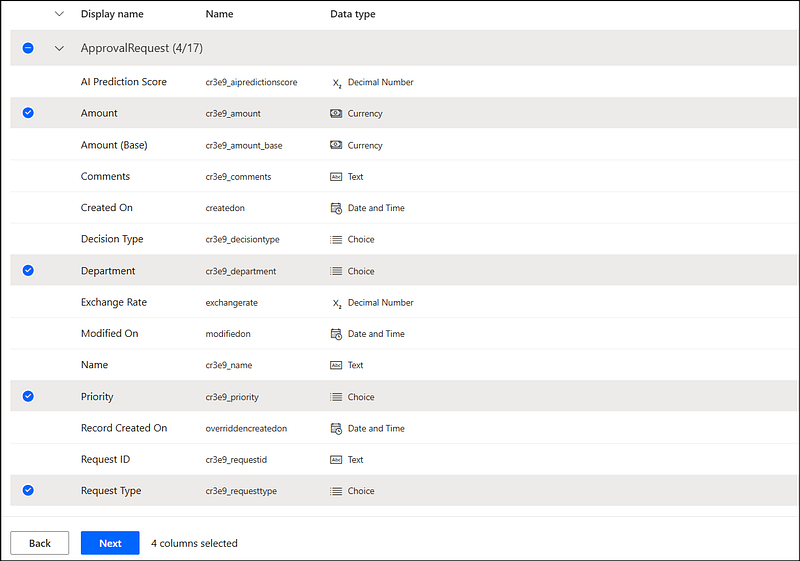
On the next page, select the columns Amount, Department, Priority, and Request Type from the historical outcomes table.
Train the model and publish it so that it can be used in Power Automate. Make sure the model is successfully trained and published.
Then, create an instant flow with the Dataverse trigger “When a record is added” for the ApprovalRequests table. Add the next action as AI Builder, select the trained model, and map the required inputs from the trigger outputs.
You can refer to the workflow diagram below to implement the Power Automate flow.
Your flow will be looking like the below screenshot
References
-
[Use predict action in Power Automate - AI Builder Microsoft Learn](https://learn.microsoft.com/en-us/ai-builder/predict-action-pwr-automate) - A simple predictive AI Builder model in Power Automate
Have a great day!



Comments