
Recently, I worked on a Dynamics 365 customization where I needed to associate selected subgrid records with a parent record - specifically, linking multiple contacts to an account using a custom button.
Initially, I thought of using Power Automate or a custom plugin with an action, but after exploring more, I discovered that the XRM WebAPI already provides built-in methods to associate and disassociate records. This approach turned out to be much simpler and faster.
Scenario Overview
I had a Contact subgrid on the Account form showing “All Active Contacts.”
The goal was simple:
- Select a few contacts from the subgrid.
- Click a custom button labeled “Associate.”
- Automatically link those selected contacts to the current account record.
To make it more interactive, I also added another subgrid showing only the related contacts for that account.
When I clicked the “Associate” button, the selected contacts appeared instantly in that related subgrid.
Associate Records using XRM WebAPI
The Associate action works perfectly for relationships such as One-to-Many and Many-to-Many.
Here’s the full JavaScript code I used:
Demonstration
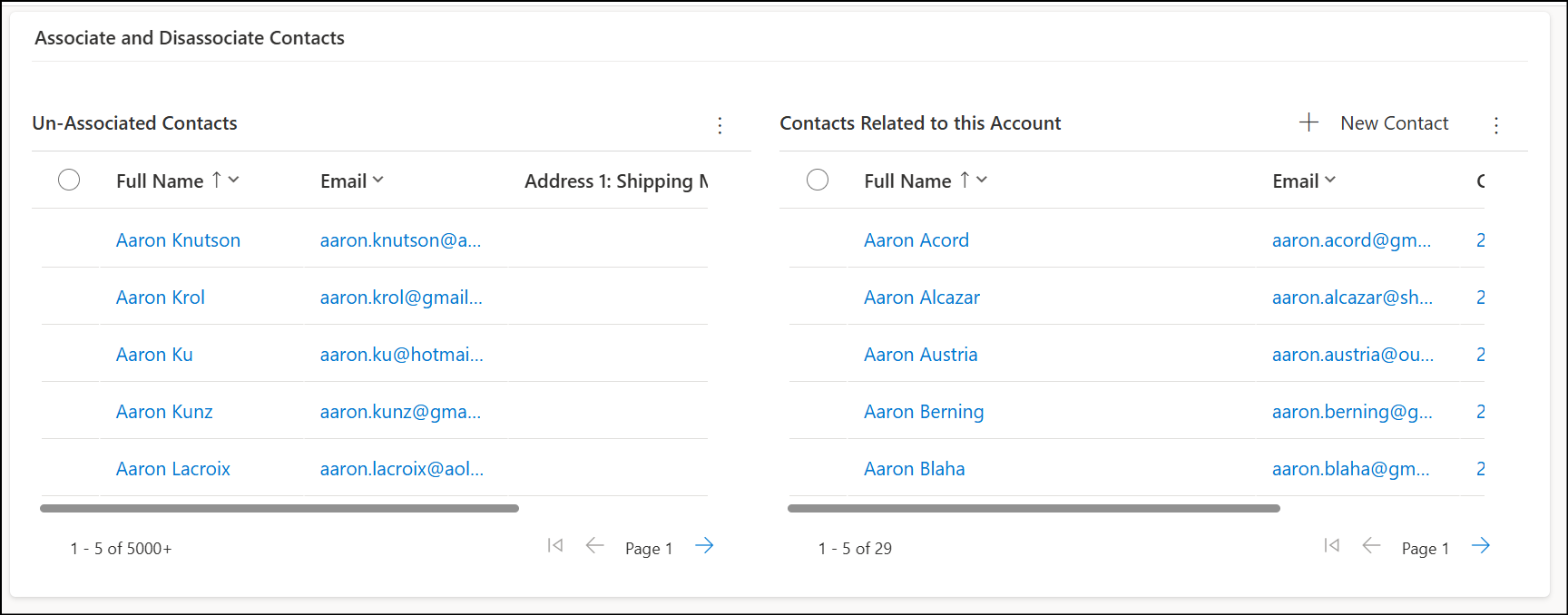 2. Added two Contact subgrids on the Account form:
- One shows All Active Contacts.
- Another shows Related Contacts. 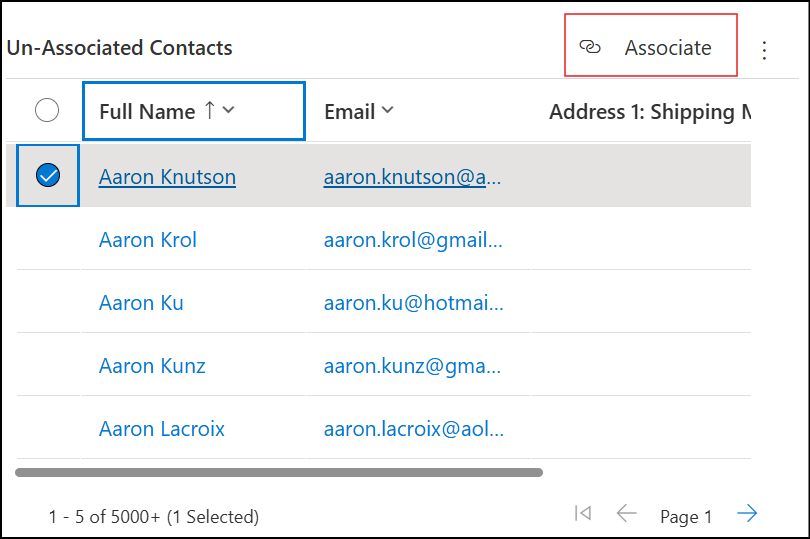4. Created a custom subgrid button labeled "Associate". 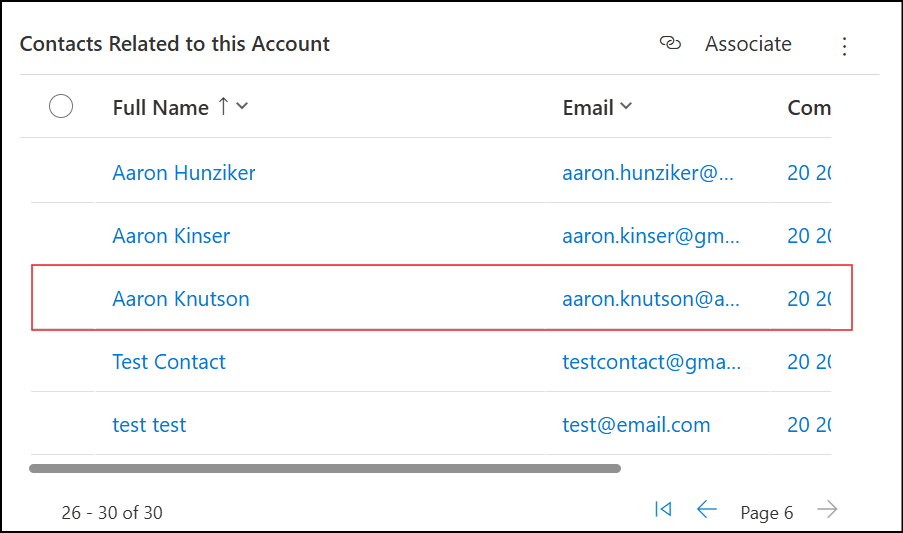6. On clicking it, the selected contacts from the active view got linked with the account — instantly reflecting in the related subgrid.
Disassociate Records using XRM WebAPI
Just like the associate action, we can disassociate records easily with a similar approach.
Here’s the sample code:
Reference
- Associate Records using XRM WebAPI - Microsoft Docs
- Disassociate Records using XRM WebAPI - Microsoft Docs
Have a great day!



Comments