
Recently, while working on a customization, a simple question hit me — “Can we edit related entity records directly inside the parent form in Dynamics 365 CRM?” After checking, the answer was a clear yes. Here is how you can do it for both 1:N and N:1 relationships.
Topics Covered
Editable Subgrid (1:N Relationship)
If your entity has a 1:N relationship (for example, Account → Contacts), you can edit child records directly from the subgrid using the Editable Grid control.
- Open the Account Main Form in the Form Editor.
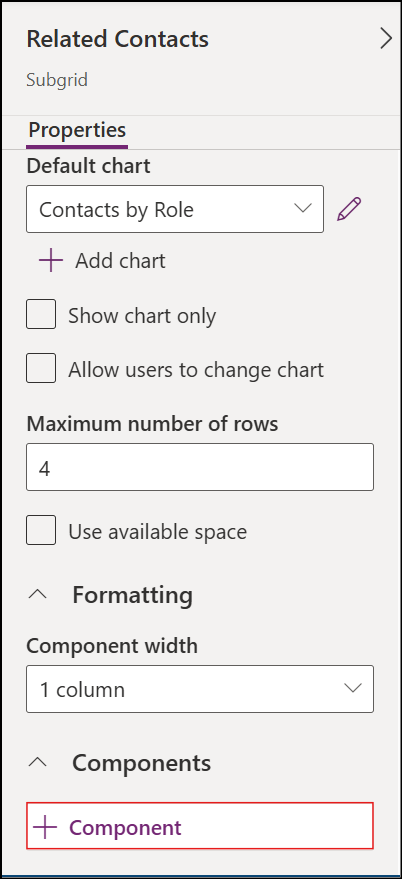
- Select the Contacts subgrid.
- In the right panel, click + Component.
- Select Editable Grid from the list.
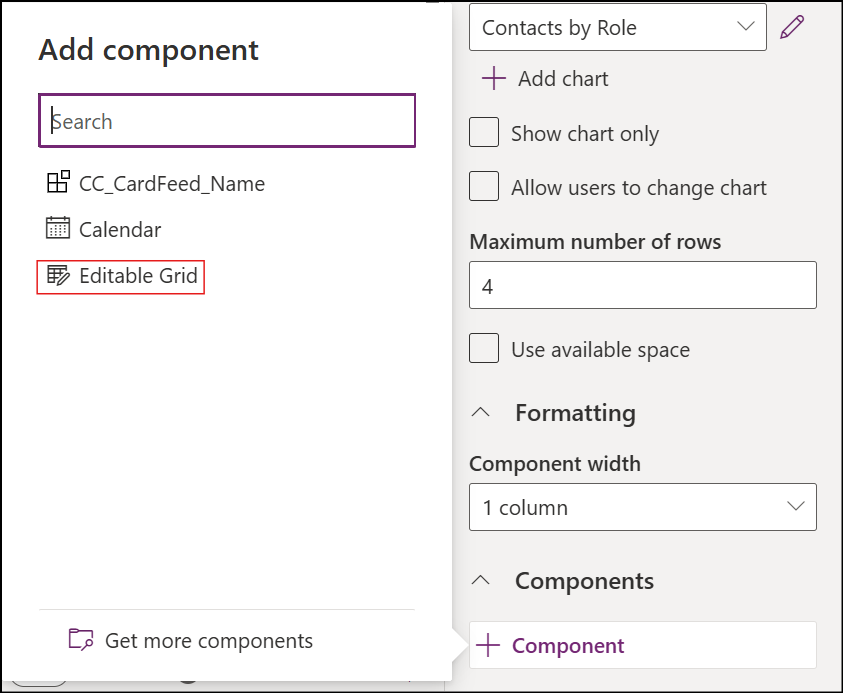
- Click Done, then save and publish.
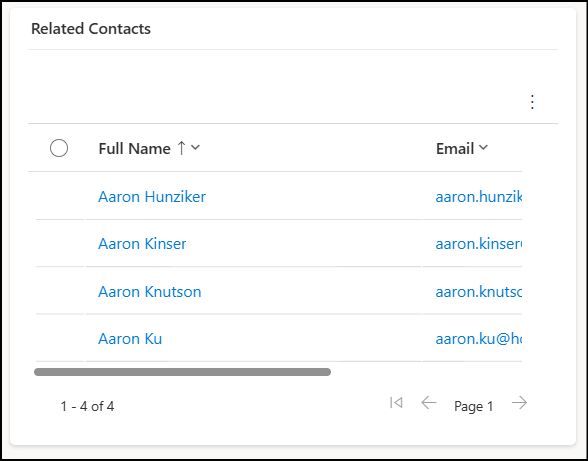
Before Applying Editable Grid
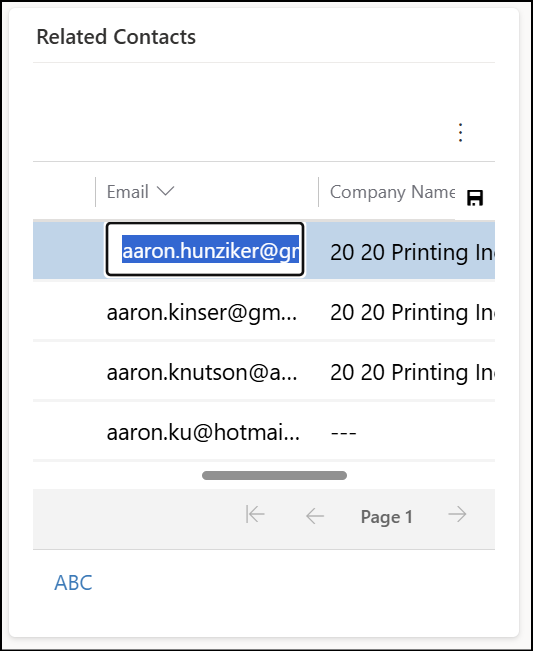
After Applying Editable Grid
Form Component Control (N:1 Relationship)
This method works well when the child record has a lookup to a parent record (N:1). Example: In Contact, the Company Name field looks up to Account. Using Form Component Control, you can show an editable version of the parent form inside the child form.
- Open the Contact Main Form in the Form Editor.
- Select the Company Name (Account lookup) field.
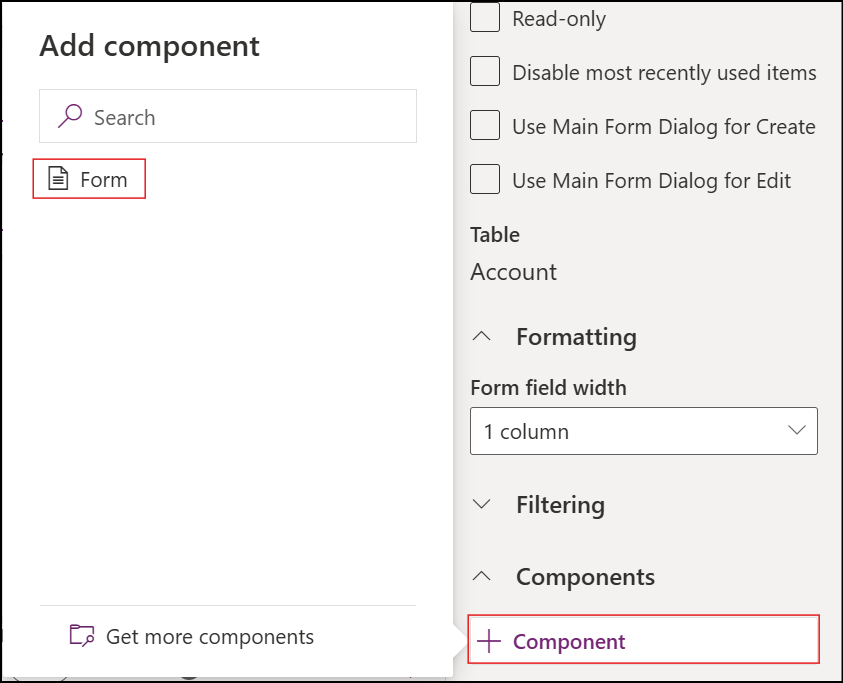
- Click + Component.
- Choose Form Control.
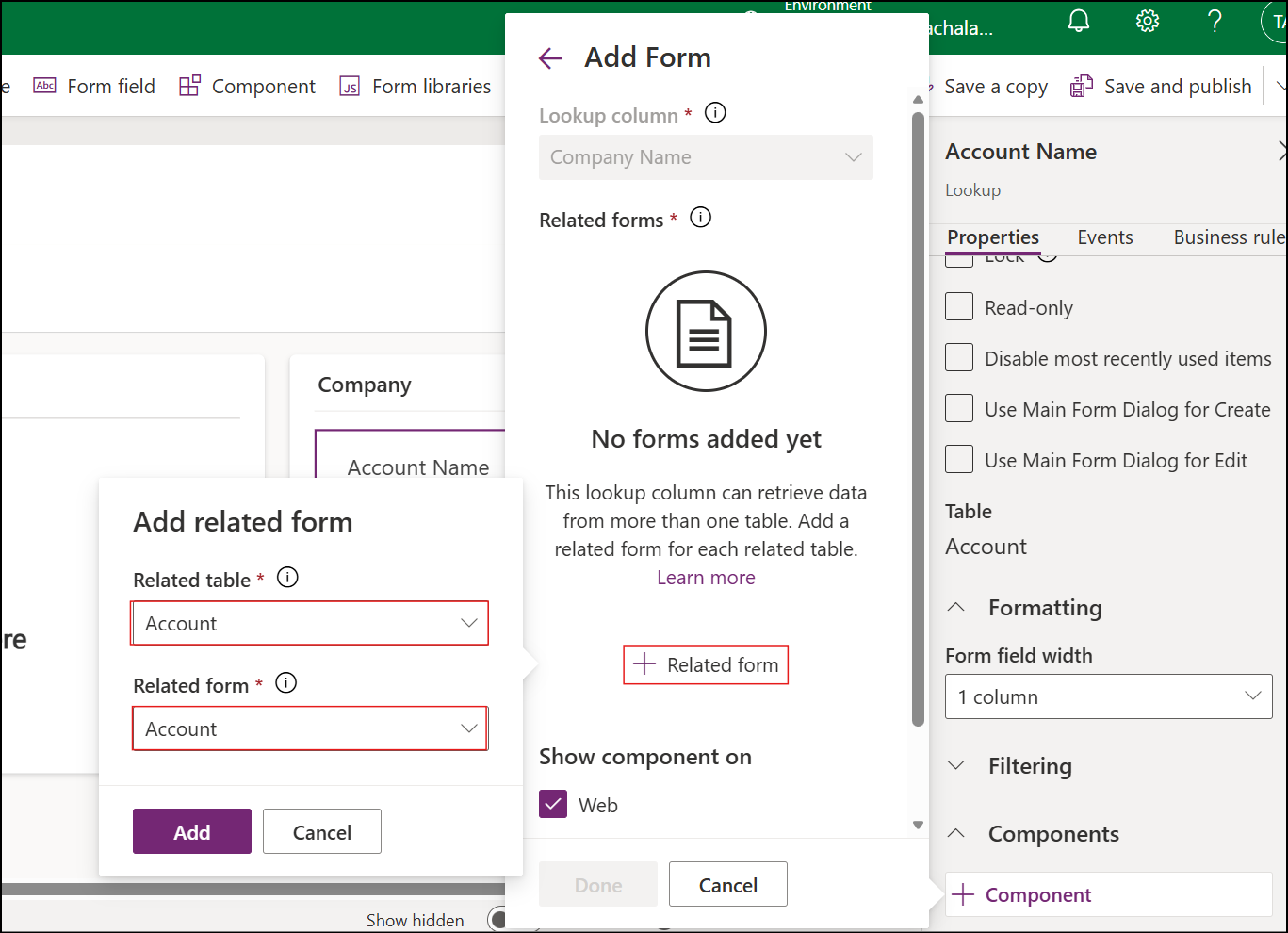
- In the popup, select + Related Form.
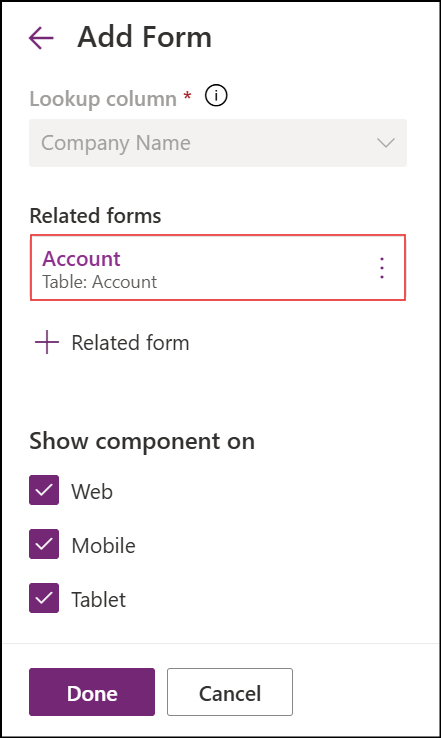
- Select the Account form you want to display.
- Save and publish the form.
Before Applying Form Component
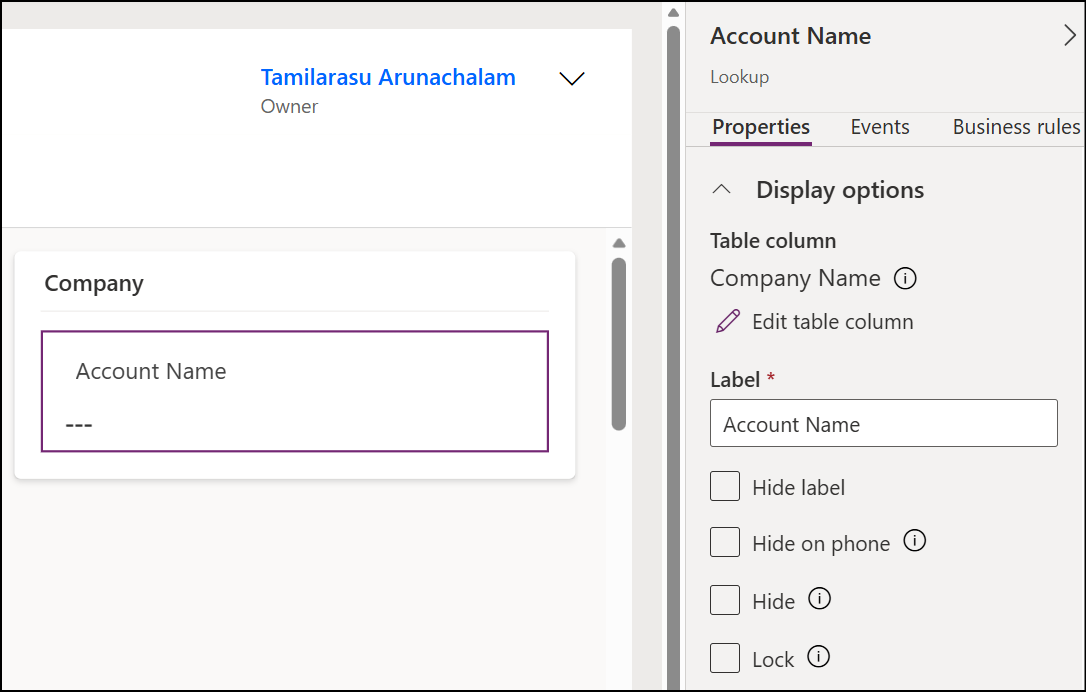
After Applying Form Component
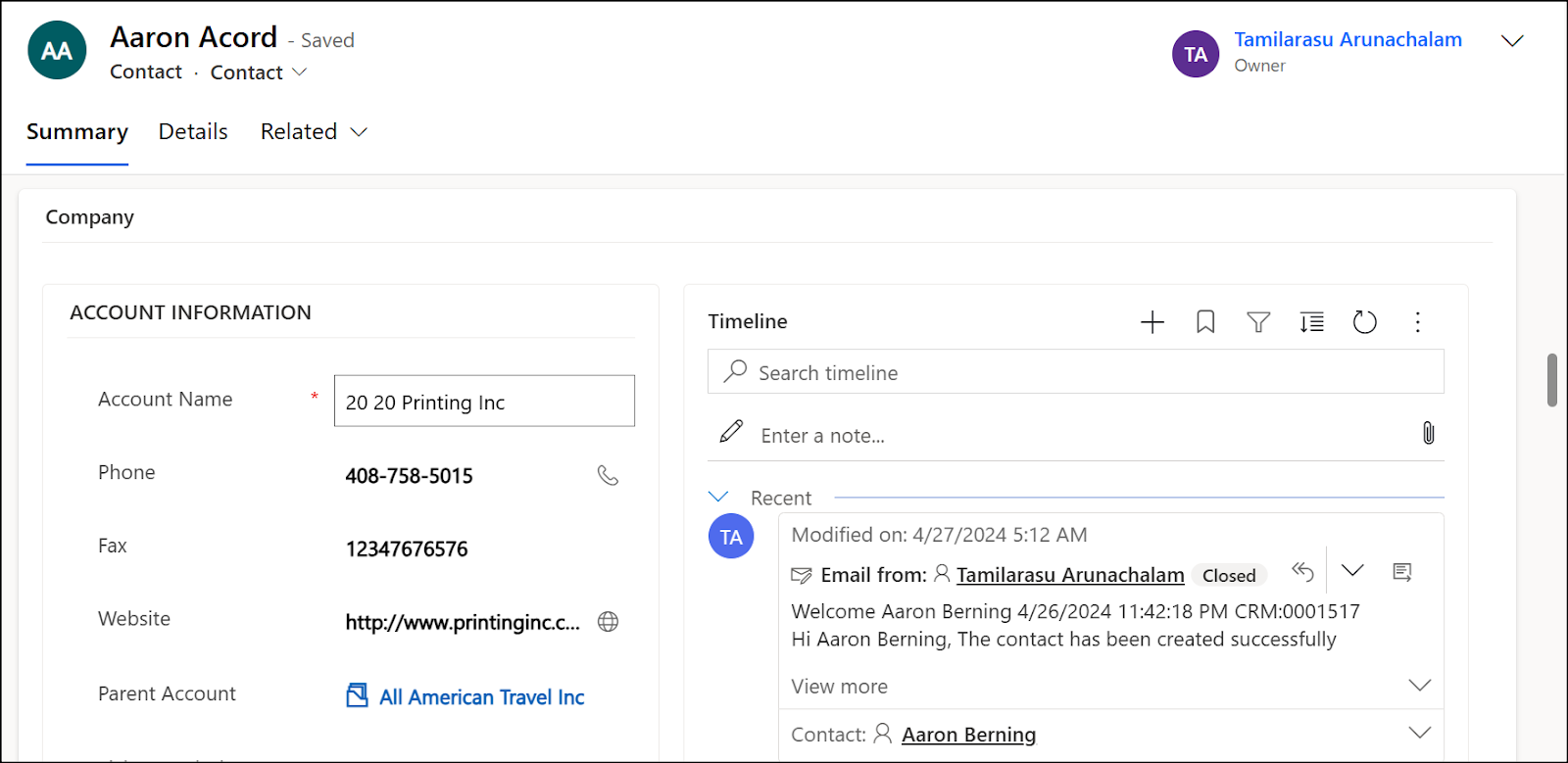
Tip: Choose a cleaner, minimal form for better usability.
Reference
- Make model-driven app views editable using the editable grid control
- Edit related table records directly from another table’s main form
Have a great day!



Comments